J’ai terminé le programme Explore deux fois. Il est temps de "level up" !

Category: EDCI 336 (Page 1 of 2)

This is a category for the EdTech course. Please add this category in addition to the relevant edtech assignment category(ies).

The Role of Cell Phones in Education

Our project looked at Cell Phones in schools including positive and negative effects on students and teachers and policies implemented by schools in Victoria, Saanich and Sooke. One of our sources looks at students at risk of being homeless who had previous drug use. This source actually identified the benefit of having a cell phone to high risk students because it kept them in contact with health supports and other member of a support system.

We included another source by Jonathan Haidt called “Get Phones Out of Schools Now” as well as citing the book by the same author, “The Anxious Generation.” Haidt is concerned that teens who use devices are missing out on friendships and risky play and in turn are suffering from anxiety, depression and other disorders.

An article from CNN reported on the hundreds of daily notifications teens are getting on their phones.

This research shows how even having a smartphone physically nearby produces a lack of focus.

This article explains how “Smartphone Use Gradually Leads to Addiction” because of the release of dopamine while using a device.

This source explains the effect of blue light on sleep and this article connects the use of a device before bed to lack of sleep.

This article from the Canadian Medical Association also focuses on the mental health of youth as does this Canadian longitudinal study.

This textbook from our Sociology class looks at the impacts on the relationships between students and teachers of cell phones.

We looked at cell phone policies in schools in BC and learned that teachers can use their own discretion in using cell phones during instructional time in SD61. In Sooke there is restricted use of cell phones after grade 9 and in Saanich it is much the same, students must have the invitation of an adult to use a device.

We included some information on how Austrailia’s ban on social media went.

Conversations with educators dealing with this issue on a daily basis were also used as research for this project.
Free Inquiry: Le Vocabulaire du Chapitre 2 du Petit Roman Le Chevalier.

Aujourd’hui, je lis le chapitre 2 d’un petit roman qui s’appelle Le Chevalier. C’est dans le livre que j’ai déjà introduit. Le titre du livre est Short Stories in French. C’est pour le niveau A2–B1.

Le petit roman est sympa. Dans le premier chapitre, le chevalier achète deux potions de force. Il va au château du roi. Ensuite, ils partent en voyage pour transporter un chargement d’or au frère du roi, Arthuren.

Dans le deuxième chapitre que j’ai lu cet après-midi, le chevalier voyage dans une forêt. Il n’y a pas d’animaux dans la forêt. Il y a aussi de l’eau magique dans la forêt et une histoire d’une grande bataille entre le roi et son frère.

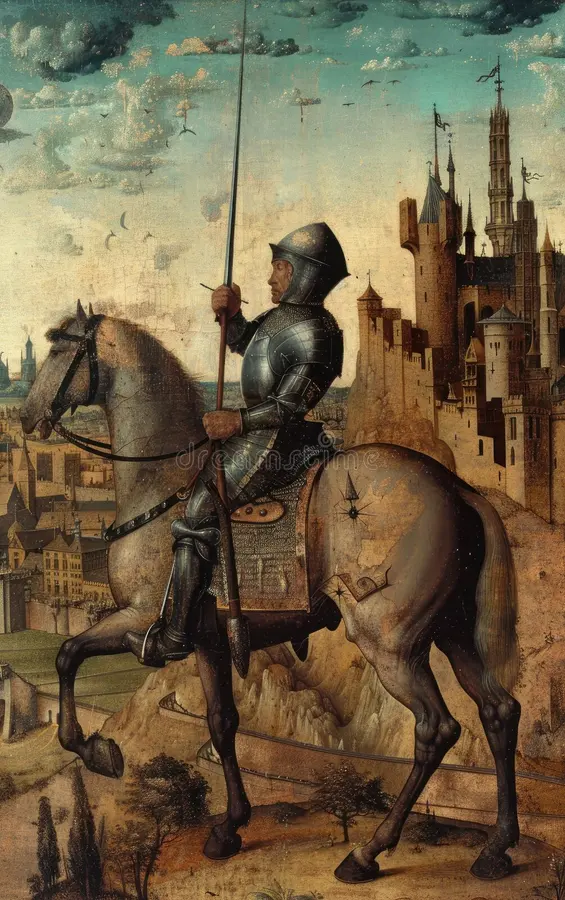
L’image d’un chevalier de la Renaissance.

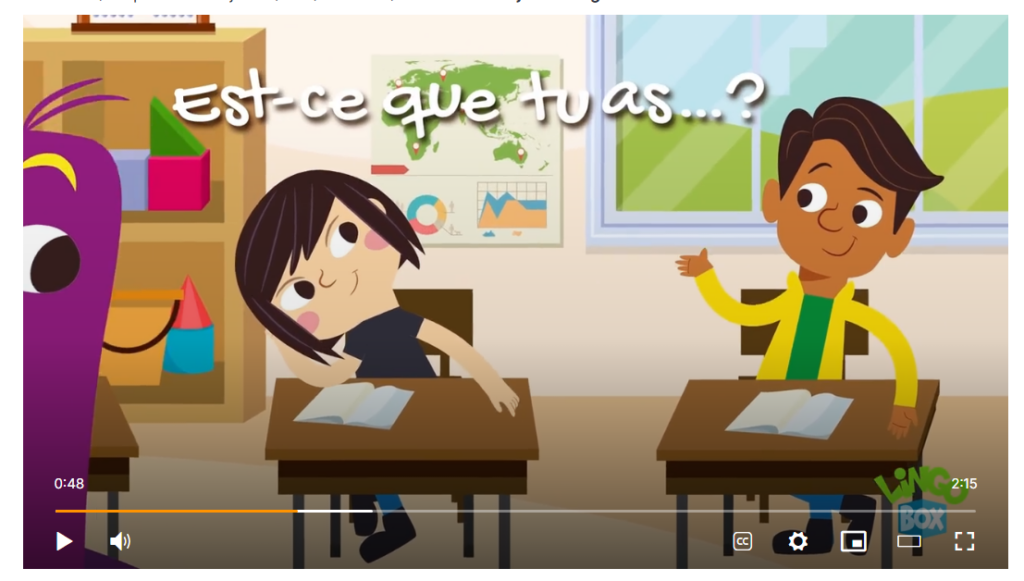
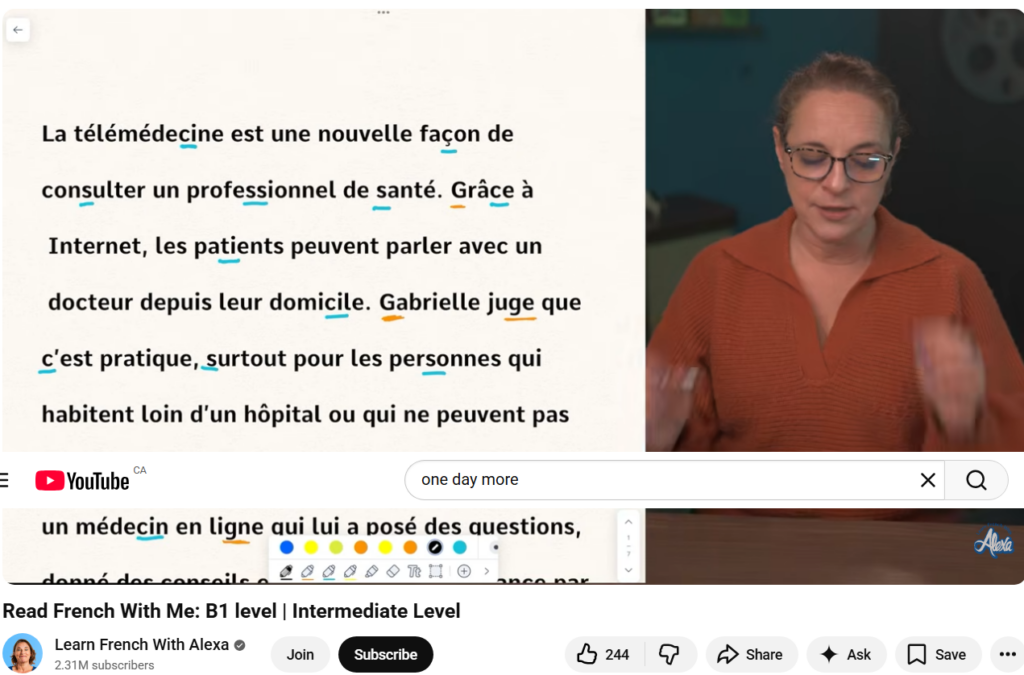
J’ai aussi trouvé cette vidéo pour pratiquer la lecture en français au niveau B1. Elle vient de Learn French with Alexa et elle parle de la prononciation. C’est une ressource correcte, mais je préfère lire un livre parce que mon problème n’est pas vraiment la prononciation, mais plutôt d’élargir mon vocabulaire. Aussi, je peux lire plus vite seule.

Vibe Coding and Gamification

My favorite part of today’s class was reminiscing about afternoons I spent as an eleven year old watching my family members die of typhoid and hunting buffalo in Oregon Trail. We talked about gamification of education and how to incorporate games into different subjects. We were introduced to the phrase “Vibe Coding” which refers to using Artificial Intelligence to create games or other software out of prompts instead of creating code, a lengthy and arduous process. During this process, specificity was emphasized through a video outlining the idea of “computational thinking.” The video showed a dad following instructions on how to make a peanut butter sandwich as if he were a computer. The point was that when inputting commands for AI, wording needs to be concise.

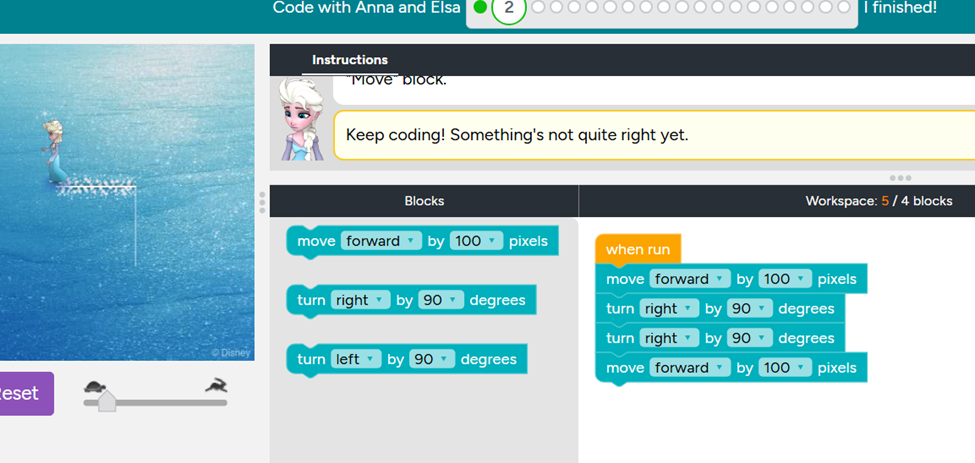
We used the website Code with Anna and Elsa from Code.org to practice scratch, a coding format that involves dragging and dropping commands. Scratch is another way to make coding accessible for a broader audience. This specific platform could be used in teaching math.

Other games were presented such as simple Math Blaster or Flappy Bird games that could be created with a variety of different prompts relating to different subject matter. For example one game presented was a tool to encourage learning a First Nations alphabet. We also spent some time discussing and trying out the Bad News Game which is a game designed to provoke critical thinking about fake news. We had some interesting discussion about this game which uses inoculation theory which means making someone do something in order to learn what is bad about it. I learned about a lot of games I hadn’t heard of before and will be sure to check out like: gimkit, dixit, blookit, prodigy and Secret Hitler.

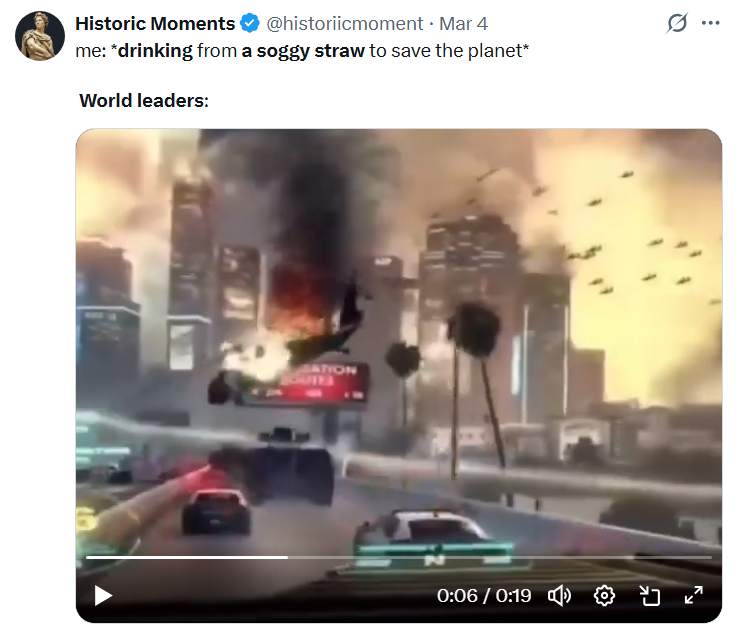
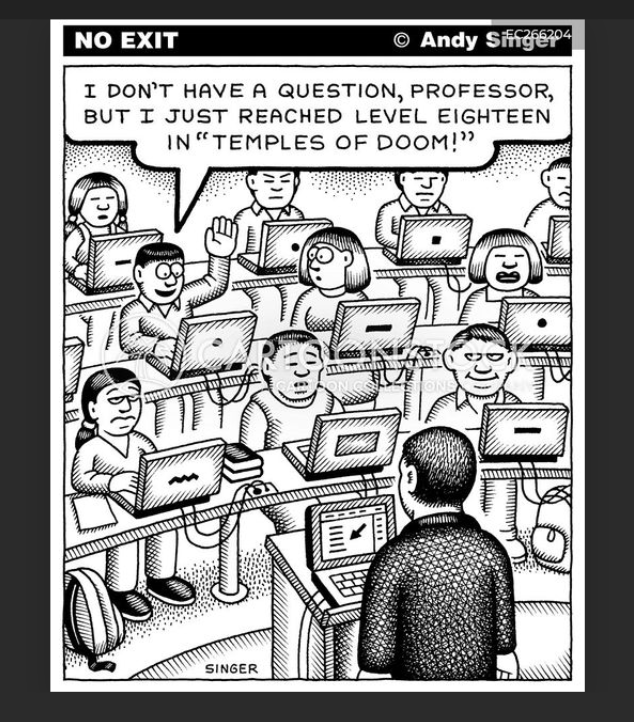
We discussed the environmental impacts of AI again and it brought to mind this meme which I think is hillarious and gives a reason to laugh about serious things happening in the world.

Free Inquiry: La Guerre Entre l’Iran et Israël et je suis malade au printemps.

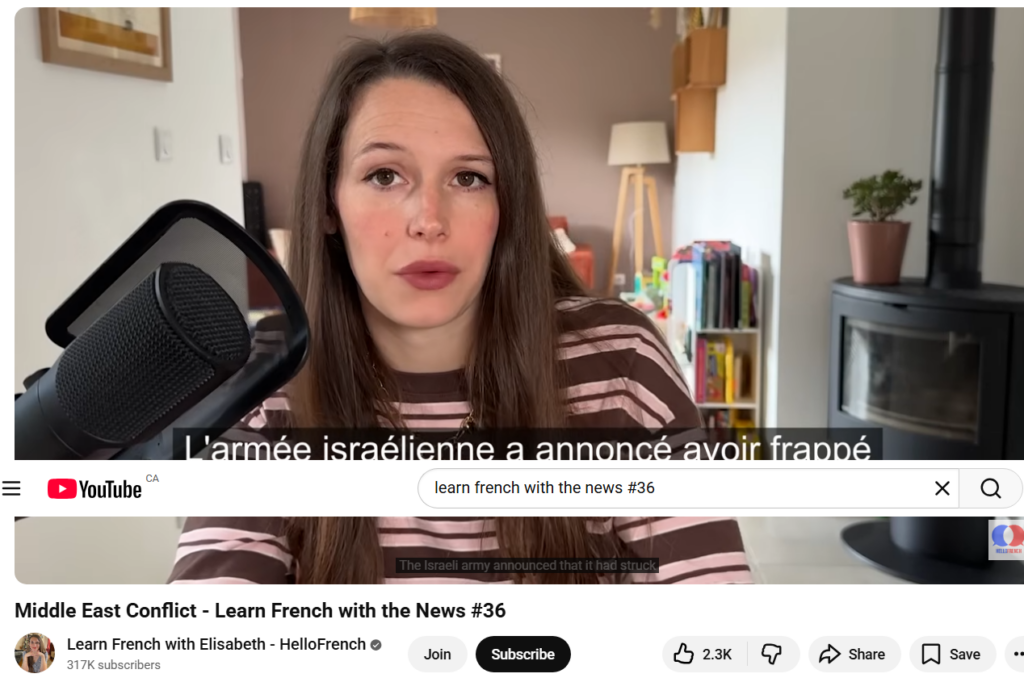
Aujourd’hui, j’ai regardé une vidéo des nouvelles en français. En fait, j’étais plus occupée la semaine dernière parce que j’ai passé beaucoup de temps à écouter des professeurs de sciences politiques et à suivre les nouvelles parce que j’étais très inquiète pour les civils.

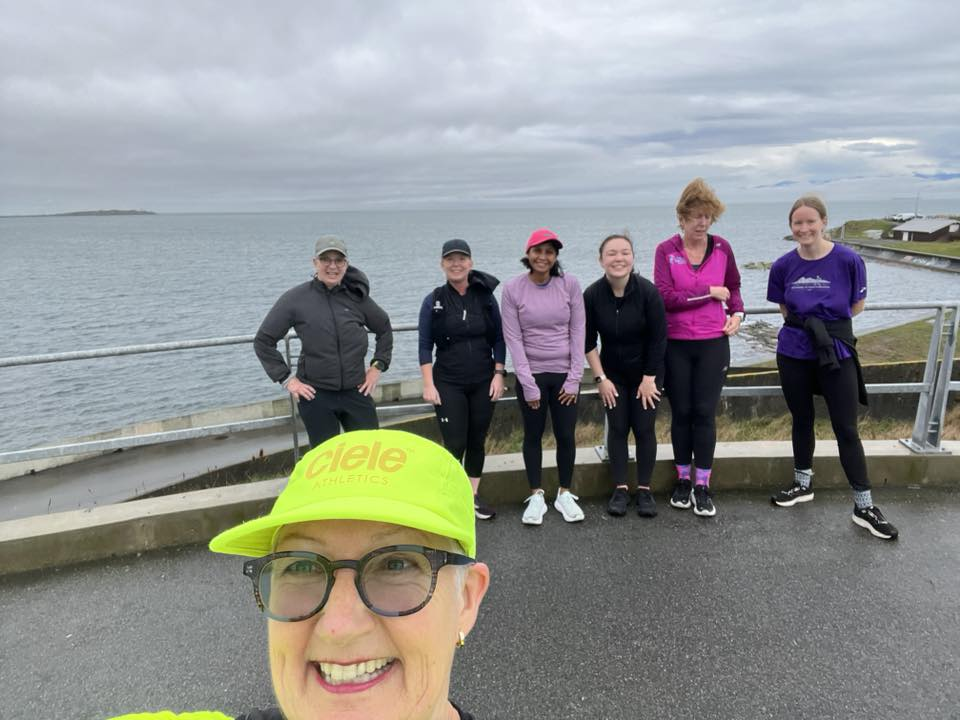
Honnêtement, depuis quelques semaines, j’ai mal à la gorge. Je faisais partie d’un groupe de course, mais je suis tombée malade, alors je n’ai pas pu continuer à courir avec eux. C’était très triste pour moi, parce qu’il y a beaucoup de gens très gentils et heureux dans ce groupe. Les voir est très bon pour ma santé. Les voir me fait du bien au cœur. Mais je suis restée à la maison, alors je suis devenue un peu paresseuse. J’ai aussi oublié de pratiquer le français et j’ai perdu ma motivation.

Mais mon autre intérêt, c’est la politique mondiale. Je m’intéresse beaucoup à l’actualité et j’aime suivre les actions des grandes puissances comme la Chine, les États-Unis et Israël. Je trouve intéressant de voir qui dit quoi, surtout lorsqu’il y a une grande crise diplomatique, comme le désastre humanitaire à Gaza ou maintenant avec les bombardements en Iran et les réactions des autres pays.

Avec les nouvelles d’Iran, j’ai été très attristée par les bombardements qui sont tombés sur une école de filles à Minab, en Iran. Plus de cent cinquante petites filles ont été tuées là-bas. C’est vraiment tragique, et je ne comprends pas pourquoi cette école était une cible.

Ici, il y a une vidéo des nouvelles en français, et dans cette vidéo, elle explique la situation à laquelle j’ai fait référence. J’espère qu’il y aura plus de paix dans le monde, mais en ce moment il y a beaucoup de conflits et je pense qu’il n’y a pas beaucoup d’intelligence dans les actions des gouvernements.

Des milliers de personnes sont vues se rassembler ici pour les funérailles des élèves de l’école à Minab.

Weekly Reflection: PSII Pacific School of Innovation & Inquiry

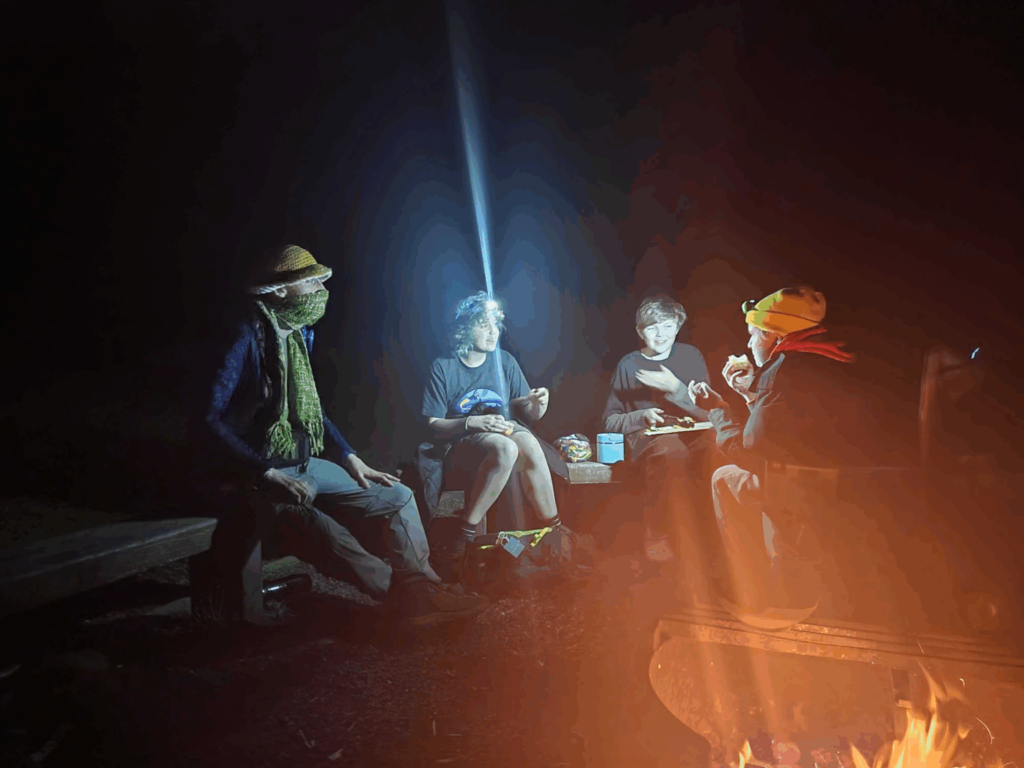
Students at PSII on a camping trip to Goldstream Park, one of the ways the Pacific School of Innovation and Inquiry balances tech with nature based experiential learning.

I was not able to attend the field trip to PSII the Pacific School of Innovation & Inquiry but was able to view two videos created during COVID that included an interview with a teacher from PSII and a tour of the school. I also asked a fellow student to share his impressions of the in-person tour so I will be reflecting on these three resources to report on my impressions of PSII in this post.

My colleague reported that students at PSII represented a higher than average number of designated students. The Tour included a sensory room which I have learned through my experience as an Educational Assistant is a must for any school and particularly helpful for students with autism or ADHD diagnoses. PSII has no outdoor spaces but follows a more flexible model than public schools as it lets students come and go when they wish. As the location is downtown, the proximity to the scenic inner harbor and Market Square helps to alleviate the lack of an outdoor chill space. Still, it would be amazing if in the future PSII was able to acquire a patio or some space for students and staff to socialize and enjoy a sunny day. Many of the rooms in the school, apart from one of the main working areas with large windows, were windowless.

Although this is an institution centered on tech, I think it is worthwhile to align technology with nature so that students don’t forget their relationship to the natural world. One project that was mentioned by a teacher at PSII was an outdoor sculpture that would incorporate wind and water into it. I hope there are more projects like that happening at PSII that encourage interacting with the natural world. Their work on projects is traced by teachers using the Platform Trello and they also meet with peers and supervisors in person or through zoom.

PSII is definitely an interesting learning model. It might be a good choice for students struggling with the traditional school system and seeking more freedom or creativity. Features such as a kitchen, craft and music spaces, dark room and 3D printer offer students options to pursue projects. The other student I chatted with mentioned the school is quite small with only around one hundred students so sports teams and other larger school possibilities like an orchestra or choir are not feasible at PSII, however there is still room for smaller endeavors like theatre and camping trips.

The interdisciplinary inquiry based approach to learning used at PSII also differentiates it from the traditional model. For students who are alienated from sitting in class for many hours a day being told what they have to do, PSII might offer a refreshing alternative. It seems to be much more student-led allowing students to engage in researching questions they come up with on their own and providing support along the way as new questions arise. This encourages students to take accountability for themselves which is a good opportunity at this young stage of life. Instead of complaining about lack of choices, students are challenged to create their own learning experience.

Weekly Reflection

This week we attended the webinar put on by Focused Education Resources for the District wide Pro-D day. I attended two zoom sessions in the morning. One was on Twig and ClickView. It was presented by Mike Silverton. I also attended the session by Lisa Read in which she presented KnowBC.com, ProQuest and Gale in Context. I will be reporting on the first session on ClickView and Twig in this post.

Click View is almost like a streaming service. It includes a wide array of educational videos organized by topic. It also offers supplementary resources for teachers to use with students. Teachers can print, save or share these resources with their students by giving them their own access to the website. It is a paid service for those who are not employed at a school but educators affiliated with a school have access this resource. There are both short films approximately 3 minutes long and full length features available on a variety of topics. Films have a transcript so teachers can pick out relevant clips. Resources in ClickView include multiple choice questions, info sheets, and lesson plans. This is definitely something new Teachers will want to have in their arsenal.

Twig includes units on different subjects including Biology, Chemistry, Earth Science, Human Geography and Math. It is one of the few resources out there that offers educational films to teach Math. The videos are high quality and recent. Accompanying resources are designed so the film can be paused to complete worksheets at different stages.

These and other great tools can be found at the focused resources website. I checked out the French resources and unfortunately they were quite low level! Still, for primary these would be very useful indeed.

Weekly Reflection

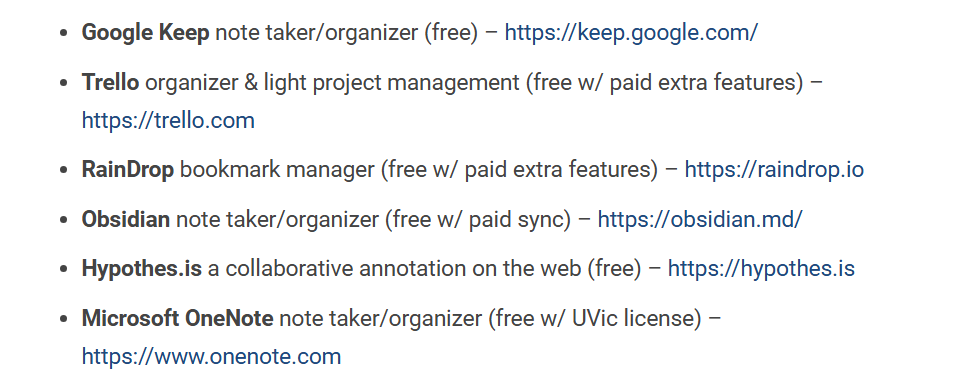
This week the topic was Creating and Curating Digital Resources and we were invited to explore various tools that could be used in lieu of pen and paper to organize lesson plans, tools and learning objects such as websites or articles. There are a lot of resources out there! Below are some of the ones we were encouraged to investigate:

I checked out Hypothes.is which is a resource that is applicable to post secondary and potentially secondary settings. It allows users to make annotations in the margins of shared documents. This is a good tool to use to check student participation and engagement because students can leave comments (annotate) while they are reading. I also like that it is unaffiliated with google because I like to use alternatives to supporting billion dollar corporations when possible.

Having worked in post-secondary I have some familiarity with Google classroom. It certainly has advantages however working in classrooms where each student is on a laptop has some drawbacks. For example, who is checking if students are using their devices to get work done or not? Also, when I am working on my computer at home, I tend to get easily distracted by social media and streaming services. I find it takes a great deal of effort to avoid these time-wasters and usually find the amount of time I spend on the computer is divided many times because I often myself visiting sites that are not relevant to what I am trying to get accomplished.

I think using tools like Hypothes.is or Google classroom can give an aura of professionalism to a new teacher and be effective for many students so they are worth using. I hope teachers using Google classroom supplement that tool with hands on teaching to cover any gaps for students who might be struggling to find assignments in the technology for example. Unfortunately I have had the experience of seeing a teacher rely completely on software so students in his class enjoyed only a minimum of interaction with their teacher to the point that a student who asked the teacher to print something for him was responded to with an irritated, “it’s on Google classroom!”

I also checked out Microsoft OneNote and watched some of this introductory video. It looks like a tool that could be potentially helpful to manage a busy schedule. I am used to using Microsoft Word and e-mail, Google docs, Canva and PowerPoint. The layout of Microsoft One Note makes it seem like a binder so I guess it is more user friendly. However, I think that having one page for each meeting/class with notes in a Word program is similar to what is being offered in Microsoft One Note. Still, it is useful to be aware of these tools as they might be useful down the road.

Weekly Reflection: Generative AI

In our class today we talked about ethical implications under the banner of the guiding metaphor of AI as a double edged sword. Other revolutionary technologies such as textile looms that put highly skilled artisans out of work but also helped provide inexpensive clothing to the masses fit with the idea that all forms of new technology create both good and bad changes. We discussed the use of water as an issue in AI and compared other uses of energy to AI prompts. For example a 15 minute shower is equal to 413 text prompts in AI. Videos take the most energy with one video being equal to 5,600 google searches.

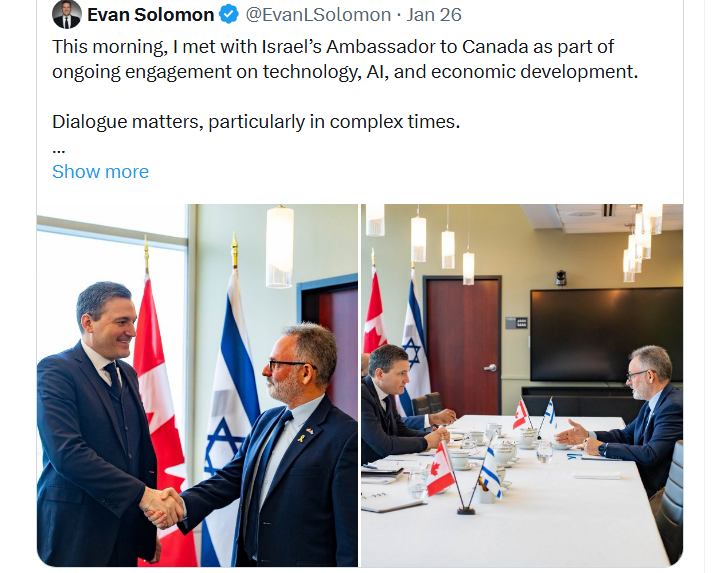
Militarization of AI is also a concern that has ethical implications for educators interested in using AI or promoting it as a tool. Recently Canada’s Minister of Artificial Intelligence, Evan Solomon met with Iddo Moed, Israel’s Ambassador to Canada to discuss “ongoing engagement on technology, AI and economic development.” This is concerning because of the way Israel has and continues to use AI to manage Palestinians freedom of movement as documented in the Australian journalist Anthony Loewenstein’s book, “The Palestine Laboratory: How Israel Exports the Technology of Occupation Around the World.”

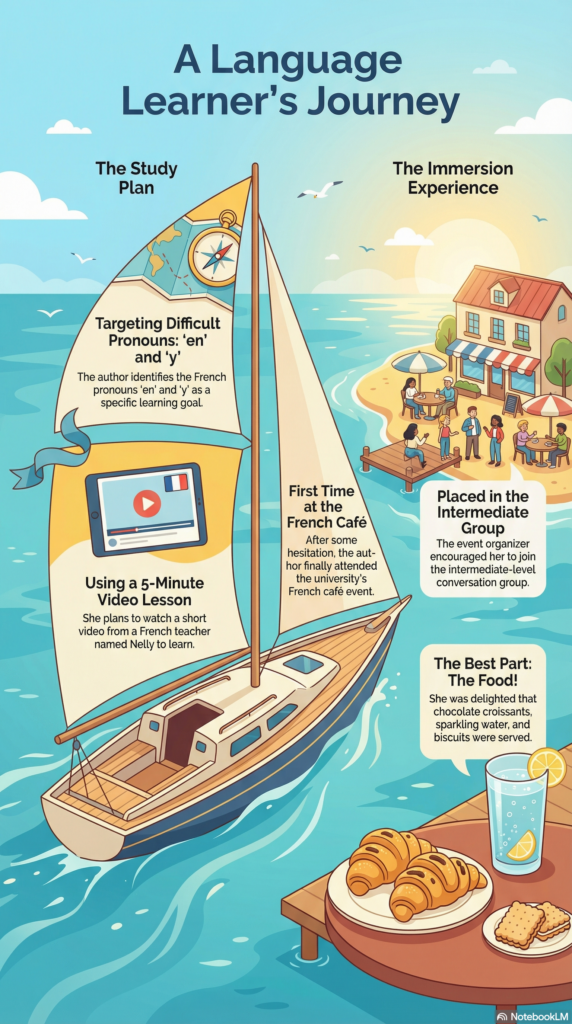
For new teachers, AI can help save time as it is useful in developing lesson plans, assignment sheets, quizzes and much more. The infographic below was created with Notebook LM. Another useful way to use Notebook LM is in creating Jeopardy games which I have seen done in schools to the great enjoyment of students. As a new ESL teacher, I and my students could have greatly benefited from AI tools. Perhaps my first few years of teaching would have been smoother. That being said, teachers also need to be prepared for technology to fail as it sometimes does because of weather or other unpredictable factors. I still think about the ability to teach in difficult conditions, such as my class in Thailand with fifty students and no projector, or printer. I also think about equity and the ways the developed world is increasingly high tech while resources remain unfairly distributed. I think teaching can be enriched using AI but I hope it will not come to dominate most educational spaces.

Free Inquiry: Les Pronoms En et Y en Francais

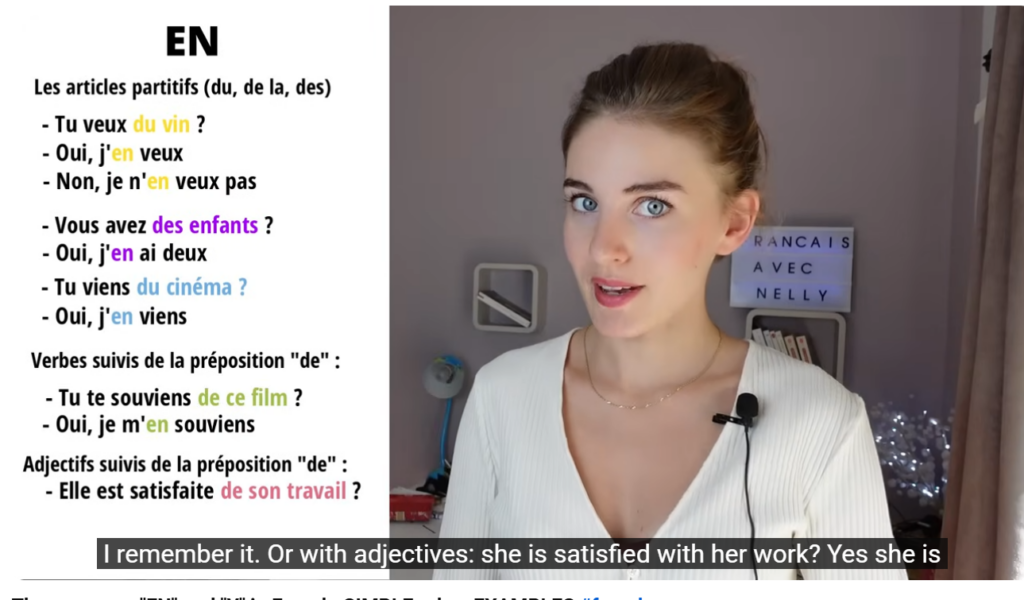
Il y a encore beaucoup de choses que je ne connais pas en français. L’une d’elles, ce sont les pronoms en et y. Alors, cette nuit, j’ai trouvé une vidéo de Nelly, qui crée de très bonnes vidéos pour apprendre le français.

Ce soir, j’étais un peu fatiguée et aussi paresseuse. En plus, il est trop tard pour une vidéo plus longue. Celle-ci ne dure que cinq minutes, et après l’avoir regardée, je vais m’endormir.

Je veux aussi écrire sur ma première expérience en assistant au café de français à l’Université de Victoria. C’est une partie du programme d’éducation.

J’avais communiqué avec Julie, la femme qui l’organise, et j’avais entendu parler du café, mais j’étais très occupée — ou peut-être un peu paresseuse. Alors aujourd’hui, presque à la fin de janvier, j’y suis finalement arrivée !

J’attendais le café pour le niveau débutant, et ce fut une très bonne surprise quand Julie m’a dit que je pouvais entrer dans le café intermédiaire. Elle m’a aussi encouragée à y assister, alors j’y vais vendredi.

La meilleure partie du café, c’était que Julie nous a donné quelques petites gâteries. Il y avait des croissants au chocolat, de l’eau pétillante et des biscuits.

Je suis toujours heureux(se) quand il y a de la nourriture !

Weekly Reflection

Today we worked on multimedia learning and used H5P to insert a banner and a multiple choice question into a video. We created the video by practicing a new skill. We learned how to screencast through zoom to create videos that include audio and show how to navigate a website. I chose the Audobon Society website. I already feel that I have come a long way in this class in terms of gaining technological skills. Each class there is a steep learning curve but I am getting better at following the steps and figuring things out.

We watched a video on multimedia that talked about effective ways to display and present information. Ray Pastore dissuaded listeners from putting too much information together to avoid overburdening of cognitive load. He talked about the split attention principal which asserts that having a graph and text on a slide demand that the reader splits their attention or switches between items in order to focus on one item at a time. This risks some information getting ignored. The redundancy principal explains that duplication of text and narration hurt learning. However, he did admit that learners do express the desire for text, image and sound all to be present in slides/presentations. I think this is because combining these forms not only makes learning more accessible to diverse learning styles but having “more” on a slide might make it seem more appealing to the human brain that relies on dopamine to retain focus. Despite, being less effective for learning, offering a busier set up might help grab readers attention and keep them alert to at least one of the items on display sort of like toddlers being most interested in toys with flashing lights.

I agreed with most of the points made by the presenter but struggled with the point he made about how having extraneous images in a presentation can hurt learning. He used a presentation that used an airplane metaphor and included images of airplanes as an example. I think this conflicts with the multimedia principal that words and pictures together are more effective for learning than just words alone. I personally really like it when an otherwise boring presentation includes images that are decorative or humorous because it makes the learning process more enjoyable. I also think art can be incorporated in everyday life so if a presentation on literary devices includes images of black bears I don’t think it will hurt the bottom line of the presentation too much and might help bring in students who are struggling mentally because the image is friendly.

The multimedia presentation also highlighted signalling as an easy way to help facilitate learning. This refers to essentially highlighting points in some way whether that be with graphics, color or the presenter slowing down for emphasis. Interactivity was also encouraged as the presenter asserted it would prevent the audience/students from getting lost. The presentation should move at the pace of the students and should be created with flexibility in mind so that some areas could be returned to for review if necessary or some areas allotted extra or less time as needed.

« Older posts

© 2026 Emma Learns French

Theme by Anders NorenUp ↑